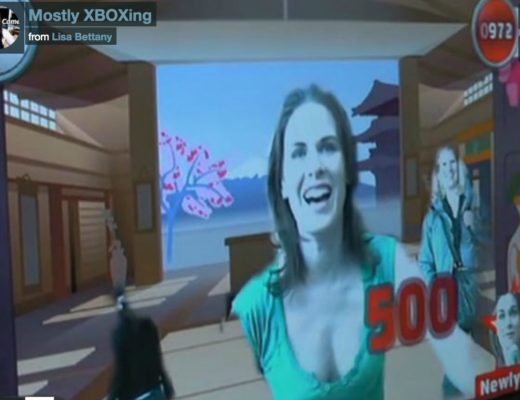
I’m actually really proud of this show and everyone involved. It was my first time producing a show this big, technologically challenging, & live! I lost about 5 pounds in sweat, literally. There were moments when I just wanted to crawl into the fetal position a cry. But we had such an amazing team who pulled several all-nighters to get this show up and running.
I was so grateful that my Redpilot partner, Ryland Haggis, came down to help oversee some of the technical aspects, including running all over San Francicso looking for 8 core Mac Pros, graphics cards, mics, & every possible cable imaginable. And thanks to GDC09 for only finding one firewire PCI Express card in entire city of San Francisco.
Huge props to the Boinx guys, Bastian & Tino, AKA “Ze Germans”. Their ability to deal with a plethora of audio, video, live streaming, green screens, & graphics was flawless. I also quite enjoyed Tino’s Austrian Governator accent. “Come with me if you want to live!”
My co-hosts, Veronica & Crazy Chris Pirillo, were awesome as always with their mix of professionalism and jocularity!
I interview Glenn Purkis, product manager of XBOX live & try out some family friendly XBOX 360 games at the Best March Break Ever XBOX 360 event and make a complete fool out of myself as per usual.
I saw the premiere of Watchmen at midnight on the IMAX screen and holy smokes was it ever awesome. My experience of watching the film was similar to the first time that I saw The Matrix. The action was spectacular, the characters were layered, and it actually made you think. Only with Watchmen I didn’t have to spend a week getting Keanu’s annoying voice out of my head. This time it was something else that distracted me… what was it again… oh yes the #bigbluedong. Looks like even Dr. Manhattan has something to prove. Ah, but who can blame him with lil Miss Lady Latex getting all snuggly with Mr. Horny Beak up in the fiery sex pod.
Go see Watchmen and then read the graphic novel. I’m half way through and it is equally, if not more entertaining than the movie.
I just got my gadget geeky hands all over the Canon G9 (12.1 Megapixel, Canon DIGIC III Image Processor, Optical Image Stabilizer) a few days ago, and I must say, I am really impressed.
I really wanted a high quality point and shoot that I could use capturing the behind the scenes action on photo/video shoots and for grabbing quick video for my blog videos.
Although my media company owns 2 Canon HV20s, I almost always use a 2-year-old simple point and shoot, the Canon PowerShot A510, to capture most of my videos. Even though it’s from back in the days when it was cutting edge to sport a 3.2 Megapixel camera, it’s just lower maintenance, smaller, and less fragile than the HV20 and seems to scare and anger less people than the HV20 with the intimidating Rode Video Microphone. Plus, despite it’s age, the PS A510 has a great lens and can capture good 640×480 video. Also, it just quicker to just upload to upload and deal with the footage sans TB HDs.
(aside: I always bring my Gorillapod tripod (pictured above) with me wherever I go. It’s a really handy little tripod. It can bend around things and grip them. Much more flexible and lighter to carry than a standard tripod.)
And now I’m getting all gooey with the Canon G9. I may even have “love feelings” towards G9′s video quality. It shoots really sharp and clear 640 x 480px video at 30fps which is more than adequate for web content. It also shoots HD: 1024 x 768px at 15fps. The auto exposure works very quickly when moving from contrasting light conditions and it’s cool that you can zoom during video recording. It’s not optical and it does look fairly pixelated, but it’s still great that you are able to zoom.
This is getting super technical and nerdy. I promise my next post will be super fun for those who could care less about pixels, though you must admit, pixels are pretty neat. You are looking at some pretty neat ones right now. Respekt.
Does any one else love the Canon G9? What point and shoot camera are you using? And if you use your camera to capture video, give me your impressions or link me to one of your videos. Fanks!
PS. w00t! I just convinced my mum to buy the G9. First the iMac and now the G9… we are moving slowly, but surely in the right direction. Now, i just have to get her to ditch her 15 year old, very round screen TV!
Photonic is an awesome flickr desktop client for Mac OSX. Just drag and drop photos, add titles, description, tags, add to albums and groups, and upload. I talked about it more in depth here. Works really well and it looks like it actually belongs on a Mac. Ahem twhirl.
Skitch is a desktop app that works hand-in-hand with Skitch.com to allow you grab screenshots or take photos from your iPhoto library, add sweet text or arrows, and with 1-click, upload and share them.
I’d seen Skitch on people’s twitter feeds for a while but I thought it was just another flickr wannabe, but oh was I wrong! This app combines three of my favourite things: Capturing screenshots of silly skype chats, drawing funny things on said screenshot, and sharing with my iFriends.
Before I would do everything in Illustrator or PS, and it would be laborious and very un-fun. But Skitch is heaps of fun, basically like having a revamped 2.0 MacPaint Now all I need is the Moose.
If you are a PC User you should check out Jing. It’s like Skitch, only it doesn’t look as good. I guess they didn’t want to scare PCers with cool design stuff. On the flip side, it does let you screen capture video, as well as photos which is pretty sweet. Mac users can use it too. I’ll give it a go and tell you what I think.
VLC is a cross-platform media player. This awesome app plays everything – every video format you throw at it VLC (MPEG-1, MPEG-2, MPEG-4, DivX, avi, mov, mp3) it plays. Never download another obscure Codec or QT plug-in again! It also seems to play videos with video errors or audio issues that other players will completely reject and allow you to correct audio sync problems in preferences.
Visual Hub is a universal video converter for Mac made by Techspansion. It offers wikkid fast conversion from nearly every video format to iPod, PSP, DV, DVD, AVI, MP4, WMV, MPEG and Flash. If you work with video, that previous sentence probably make your eyes enlarge a bit and maybe bust out a little nerdy grin. VisualHub solves the most frustrating part of video production: Converting. Especially if you are working with clients who have no idea about compression, frame rate, or video in general:
Yeah, can you make it big. Big?
Yeah, big enough for my screen. But don’t you want to put this up on your website? I’m pretty sure you don’t want to go bigger than 640×480.
Yeah. Can you make it that big? And make it look HD. But we didn’t shoot it in HD.
Well can you make it look like HD with some kind of ‘bells and whistles’? *stabs stylus in left eye.
I use VisualHub on a daily basis. I’ll even use it to burn simple DVDs over Popcorn when I’m in a rush because the presets are so quick and easy to use. Also, if audio is more your game, you should check out Techspansion’s new audio converter, AudialHub.
iShowU is an awesome screen capture app that allows you to grab video and audio with great presets i.e., . I recently used it to create a short demo of a new firefox plug-in, PriceAdvance.
PodWorks is an app that allows you to move songs from your iPod back to your Mac. Don’t you hate the unidirectionality of the iPod? I sure do. This app solves that screaming face you make when you can’t do something you want to do something on your Mac and can’t. Take back your iPod!
What are you opinions on these apps? Is there a multimedia application that you love? Let me know if I’ve missed anything.
As you already know, I’m a big fan of the 2.0 social nets. I was an early adopter of the big three 2.0s: Facebook, Twitter, and Pownce. (We shall not mention myspace. I like to pretend that it doesn’t exist). So far I’ve maintained active accounts in all three, but lately I find my ability to keep up witty repartee a la hotdogladies on all three almost impossible.
After a while, I find my tweets turning more into “What are you putting on your toast this morning?” than intelligent commentary of the technerdy things I’m doing. Plus, with the audience of these three nets differing so dramatically it’s not really appropriate to copy and paste or feed your status from one soc net to the others.
Twitter’s audience is uber geeky, from the tech, design, and blogging elite, to the politically active, to the dot com moguls. Anyone who is anyone on the www is on Twitter. Pownce seems to draw in a mixed bunch of users. For me, Pownce’s audience seems quite diverse, somewhere in between Twitter and Facebook with a huge teenage population who love youtube clips. Wowie! And the behemoth Facebook seems to attract everyone, including grandparents, ex-flings, your 9th grade English teacher, your arch nemisis, your 12 year-old Turkish penpal, and that annoying kid that ate Beefaroni out of old camping thermos everyday for lunch… Seriously, who isn’t on Facebook? I can only think of one person I know who isn’t on Facebook.
So if you are to keep the peace between your geeky Twitter iFriends and your tech-illiterate Facebook friends and your uber trendy Pownce friends you probably shouldn’t feed your daily WP plug-in tweets to your other nets. I find that it confuses people and then I have to explain things to people who think that Google is the internet and then I get annoyed and then bored and then I fall asleep in mid-sentence. And people seem to not like it when you fall asleep during dinner time discussions. Oops. Plus, with so many people on multiple nets, you don’t want to be double, or triple posting stuff to the same people.
What’s the solution then you lazy smart arse? Well, I think if you want to maximize your networking and community building opportunities you really need all three. I feel the same way with IM programs. You really need Adium, iChat, and Skype to communicate to all your iPeeps. But, in order to minimize the amount of time and effort you need pick one 2.0 net as your home base. This is where the majority of your updates and networking happens.
For me it’s Twitter. I have the most contacts on twitter and find it to be the best resource for tech updates, random geekiness, and general good times, including drunk tweets (:p) But, I must say there are a lot of fun times on Pownce. The ability to share photos, vids, and muxtapes is pretty awesome. I do think that Pownce is underrated, and I think in the next year it we will see it really catch on. But for some reason I don’t think that the Twitterati will ever abandon the little bird, no matter how many times they see him upside down or robotized or 404ed.
What’s your 2.0 home base? What do you find good or bad about this trifecta of 2.0? Do you use Twitter, Pownce, and Facebook? Opinions? Thoughts? Or comments on my drumming skills?
PS. Why am I sat in front of an uber kit? Kind of random isn’t it? More sweet photos and a special DIY photo blog from my latest shoot with uber Vancouver drummer, Jesse Godin this week!