Posts Tagged ‘portraits’

My 18 Favorite Portrait Photos & How I Created Them

Oct 25 2011

lovely Siri, not the iOS Siri ;)

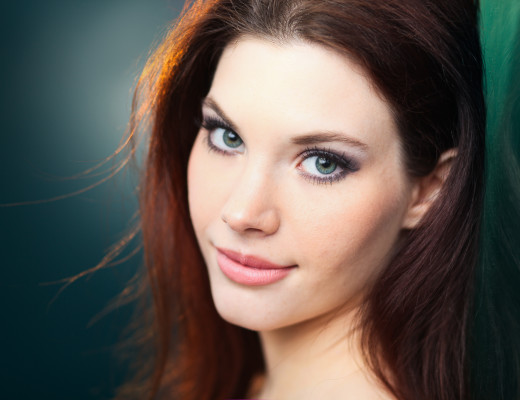
Beautiful Siri. Canon 5DMKII + 85mm f/1.8, 1/60, f/2.5, ISO 100.

I use cheap and simple set-ups for my portraits. You can achieve most of these looks with one or two flashes ($350), some Alien Bees Cyber Sync wireless triggers ($120), a basic umbrella kit ($70), a foldable disc reflector ($40) or foam core boards ($2), and some coloured gels ($10). While some of these were taken with my pro-level Canon 5DMKII ($3500), many were taken with my old entry-level dSLR, the Canon Xti/400D ($350). You can take amazing portraits with any camera, the key is great lighting. Here are 18 of my favourite portraits and the details on how I shot and lit them:

For the above outdoor shot of Siri (the model, not your iOS girlfriend), I used a basic 2 flash set-up to liven up a dull location. I lit her face with one 580EX flash shot through an umbrella directly in front of her about 3 ft away. To fill the shadows on the lower right side of her face, I used a silver reflector to bounce the light from the flash. The second 430EX flash was shot camera left behind her to light her hair. The flashes were triggered wirelessly with the Alien Bees Cyber Syncs.

Nicole's Baby Blues

Nicole. Canon 5DMkII, 85mm f/1.8 lens, 1/80, f/2.2, ISO 100.

This was my very first shoot with my new 5DMKII. I photographed Nicole in a bus stop as it was getting dusky. Not the most glamorous location, but I noticed that the lights of the cars driving were making lovely bokeh circles in the background. I used a simple one flash set-up: One 580EX flash, shot through an umbrella above and slightly left of camera about 3 ft away from her face. The closer the light source is to the subject, the softer the light. Using a shoot through umbrella also gives a lovely catch light in your subject’s eyes. If you are not a fan of the reflection of the spokes you can always clone them out in Photoshop.

AJ vintage

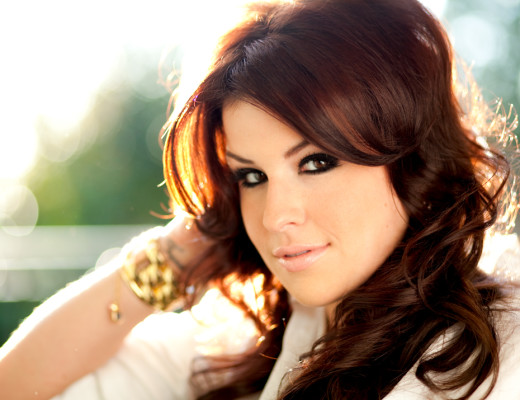
AJ. Canon 5DMKII + 85mm f/1.8, 1/200, f/2.0, ISO 100.

I used one of my favourite, easy set-ups on this shoot with singer, AJ. She was back lit with the sun through a large open window which gave her a natural hair light and a single strobe was shot through a large umbrella on 1/16 power to fill her face. The background was blown out and bokeh’d which I really like for this look. I used Photoshop to create a faux vintage cross-processed look. Click here for a video tutorial on how to create a similar look.

*i found you*

Kara. 5DMKII, 85mm f/1.8, 1/200 @ f/2.8, ISO 100.

This shoot was quite experimental. I wanted to completely blow out my background and create lens flare that wrapped around my subject. I used back lighting with a bare strobe (580EX) at 1/16th power directly behind Kara slightly to the right. I played with different camera positions to get the extreme lens flare that I wanted. This shot was a bit of a happy accident because the placement of the lens flare was difficult to predict. To balance the light on her face, I placed a 430EX directly in front of her about 2 ft away & diffused the light through an umbrella. This was shot at a very wide aperture (f/2.8) so I had to make sure to get my focus tack sharp on her eye, as everything else was out of focus.

Kylee Epp Promo Shot

Lovely Kylee. Canon 85mm f/1.8.

This summery outdoor shot was backlit with the sun and then lit from the front with a 430EX flash with a 1/4 CTO gel (orange to give the image warmth) which was shot through a 52 inch umbrella at 1/4 power and triggered using a more expensive wireless trigger, the Pocket Wizard Plus II. If you want to go with the Pocket wizards, the gold standard of wireless triggers, but way more expensive than the Alien Bees, I suggest getting 2 FlexTT5s. They are the most versatile and can be used as both a transmitter and a receiver.

Stunning Shauna

Shauna. Canon Xti, 24-105 f/4.0 lens, 88mm, f/5.0, 1/200, ISO 100

This girl could be a CoverGirl. She was so natural and comfortable in front of the camera. Working with a great model makes a photographer’s job so much easier. She was backlit by sun with a 580EX shot through large umbrella 10 degrees to the right to fill. I shot this at f/5.0 which is slightly higher than I normally shoot at because I wanted to make sure I had sharp focus of her entire face and hair.

*eyes wide shut*

Bella. Canon 5DMKII + 85mm f/1.8 lens, 1/125, f/2.8, ISO 100.

I actually shot this photo through a glass window, so it has a slightly hazy appearance. I used two off-camera strobes: One behind the subject (bare) lighting the background, one in front with a shoot-through umbrella).

*Runaway*

Taravat. Canon 5DMKII + 85mm f/1.8, 1/125 @ f/3.5, ISO 100.

My model was freezing during this wintery shoot, so we huddled in a back alley. I was almost ready to give up on the shoot because there was no light. Then, out of the corner of my eye, I saw a car coming slowly towards us. I asked Taravat give me a lost/mysterious expression and I snapped this. I lit her with a very simple set up: One 430EX flash shot at 1/8th power shot through an umbrella.

*i don't love you anymore*

Katherine. Canon 5DMKII, 85mm f/1.8, 1/500 at f/5.0, ISO 100.

Sometimes all you need is magic hour natural light & white reflector. Easy peasy. I experimented with faux Redscale processing in post to give it a distinctive look and without the processing the background was lacklustre and uninteresting.

light in love

AJ. Canon 5DMKII + 85mm f/1.8, f/2.0, 1/80, ISO 100.

This was actually the first test shot of a shoot with lovely AJ. I was figuring out my camera & flash settings and the flash was dialed up too high so it blew out the top corner of the shot. I used a bare flash at 1/4 power, positioned behind her head, slightly right, triggered with Cyber Syncs. I am definitely breaking the cardinal rule of exposure, but I feel like it works here. It’s is blown out & harsh, yet blurry & soft. The subsequent shots weren’t nearly as interesting, and ultimately the artist chose this shot. Rules in photography are great guidelines, but as an artist you can chose to break and bend them to suit your vision. Plus, who doesn’t like breaking rules?

Beautiful Shauna

Shauna. Canon XSi, 85mm f/1.8 lens, f/3.5, 1/200.

I positioned Shauna so she was backlit by sun creating a nice hair light. I use this technique again and again. Backlight the subject with the sun, front fill the face with soft, even light from a strobe and a shoot through umbrella. For this I used a 580EX shot through umbrella 30 degrees to the right to fill. The 85mm f/1.8 lens creates really nice bokeh in the background.

Stephanie

Stephanie. Canon Xti + 85mm f/1.8, 1/125 at f/4.5, ISO 100.

This outdoor dusk shot was lit with one 580EX 1/4 power shot through umbrella above & slightly to the right of Stephanie.

Jay

Jay. Canon 5DMKII, 85mm f/1.8, 1/200 at f/4.0, ISO 100.

Again, the same easy one strobe set up: a 580EX shot through a large umbrella about 2ft from Jay’s face. Getting the light source close to your subject is the key to nice even, soft lighting. If you don’t have a flash, you can achieve a similar effect using a white bounce or foam core board that you can pick up in any craft store for $2. Just reflect the light source evenly on the subject’s face.

franziska's rainbow eyes

Franziska. Canon Xti (400D) + 50mm f/1.4

Another shot without any flashes. I was a bit nervous using stands and flashes around a pool and I had enough light to go without, so I just used the soft magic hour light and a silver bounce. If you shoot an hour before sunset you get beautiful light without any harsh shadows. You have to be quick though, it only lasts about 45 minutes!

Bella & Bokeh

Bella. Canon XSi, 50mm f/1.4, 1/80, f/2.0, ISO 100.

I wanted to try a moody night shot with city light background bokeh, so I set up a cool strobey night shoot with model Bella on my apartment balcony in Vancouver. I used a 430EX shot on full power shot through window with blinds closed, camera left to hit the side of her face and body. Another 580EX at 1/4 power shot through umbrella held 50cm in front of Bella’s face by my assistant. Both strobes triggered with Alien Bees CyberSync Triggers.

Pete Cashmore

Pete. Canon 5DMKII +85mm f/1.8, 1/200 at f/3.5, ISO 100.

I coaxed my more famous half, into being photographed with the same one strobe set-up I’ve been using during the windy, rainy spring months: A 580EX shot set on M at 35mm, 1/8th power, shot through umbrella placed directly infront approx. 2 ft. away. I added a lot more contrast and the blue background colour (previously boring and grey) through post-processing.

*beauty*

Siri. 5DMKII, 85mm f/1.8, 1/125, f/2.5, ISO 100.

This final shot uses those little coloured gels I mentioned. I used a 580EX shot through umbrella directly infront of Siri and a 430EX flash with full CTO gel (orange) shot behind Siri, camera left to light her hair. I held a silver bounce infront and below of Siri, slightly right of camera to fill her face. The bokeh in the background is actually rain being lit by the flash. And yes, she was very cold!

I hope this helps inspire you to take some amazing shots! Once you figure out a few simple lighting techniques, you’ll be on your way to creating beautiful portraits. Feel free to share your shots below :)

5 Tips for Taking Better Portraits

Feb 7 2010

Pete Cashmore
Pete Cashmore by Lisa Bettany, 5DMKII, 85mm f/1.8, 1/200 @f/3.5, ISO 100.

Before I jump head first into 2010 Olympic coverage (3 days!!!), I thought I should give my favourite photographer followers some post love. Here are 5 Tips to get more professional looking portraits:

1. Light your subject.

Lighting is one of most important aspects in creating a great portrait. Good lighting is easy to achieve, but requires skill and an off-camera flash. Getting that flash off your camera and onto a light stand with a shoot-through umbrella may seem a bit daunting, but trust me, it’s the only way to guarantee that your photos are going to look professional.

The first thing I suggest is to go read Strobist’s lighting 101 section. Try to take in as much technical information as possible and then practice until you get it.

Things you will need:

  1. A strobe. I use the 580EX as my key light, and 430EXs for edge or back lighting.
  2. Lots of batteries. Speedlights eat through batteries like a sugar-deprived kid with a Pez dispenser. Buy lots of rechargeable batteries and always have two extra sets for each flash. Also remember that batteries take ages to charge, so start charging them up to a day in advance of a shoot.
  3. Wireless triggers. I recommend the Alien Bees CyberSync Triggers. They are way cheaper than Pocket Wizards and work flawlessly. You’ll need one transmitter and a receiver for each flash. You will also need PC sync cables. Also, if you are shooting with a flash, (like my 580EX) that doesn’t have a PC sync socket, then you’ll need to buy a hot shoe adapter for your flash.
  4. Light stand + umbrella adapter + shoot through umbrella. You can buy kits at photo store or find them on line. You can always use “human light stand”, but after a few hours they usually start to complain and demand food, so it’s probably best to just sink the $100 and get a metal one that you can abuse without feeling guilty.

Kara
Kara, 5DMKII, 85mm f/1.8, 1/200 @ f/3.5, ISO 100.

2. Engage with your subject.

As a photographer it’s really easy to get preoccupied with the technical details of a shoot and disconnect from your subject. Unfortunately, this disconnection between photographer and subject shows up like a red flag in photos. Nothing is worse than a portrait of a subject with dead, expressionless eyes. It’s something that no amount of Photoshop can fix.

To combat “zombie eyes”, stay connected to your subject and actively give them feedback throughout the shoot. Make small talk to your subject between shots, make sure they are comfortable and happy, tell them silly jokes if you need a smile. I find that with teen girl subjects, mentioning anything to do with Twilight or hunky vampires gets a great response!

3. Shoot in front of a simple, complementary background

Mostly Lisa halo
Some might argue that the foliage halo never goes out of style.

A bad background can ruin a good shot. Trees growing out of subject’s heads, shrubbery poking out of ears, messy piles of things poking from chins, & clashing colours will distract from your subject. When you are setting up your shoot make sure your background is clean and simple. You can remove things in post, but why add the extra work for yourself. Clear any mess away or choose a new angle.

The secret is to shoot at a low aperture >f/3.5 and focus on the eyes. This will create a dramatic depth of field, with the eyes tack sharp and the hair and background soft and out-of-focus. I tend to shoot most of my portraits at f/3.5 or lower because I love dramatic dof and bokeh.

4. Compose your shot.

The rule of thirds is a portrait photograher’s best friend. Learn it. Love it. Replicated it over and over. Portrait photography is something that benefits from strict compositional rules.

When I started, I studied the best portrait & headshot photographers and practiced replicating their work shot for shot. There is no shame in copying others composition, lighting, and settings when learning, and I strongly encourage it. Once you’ve learned the basics and have a good handle on angles and set-ups that works, you can start to explore your own style.

Shauna headshot
Shauna. Canon XSi, 50mm f/.4, 1/200 @ f/2.5, ISO 100.

5. Retouch your shots.

Nobody is perfectly flawless, but everyone wants to look flawless in their photos. While you don’t want to remove all the “character” from someone’s face, any sort of skin imperfection can probably be nixed without a word of complaint from your subject, especially if you are doing promotional headshots or wedding photos. As a model, it would stress me out to no end if I got a blemish before a photo shoot. If I would have known how easy it is to clone stamp that puppy away in one click, I would have way fewer restless nights and possibly consumed more chocolates. mm. Chocolates.

How far you want to take your retouching it is up to you. I think there is a definite point of no return that you should try to keep in mind when you are retouching. If the skin starts to look like plastic, then you should probably lay off the clone stamp a little. Keep your brush size small >20px and steer away from too much Gaussian blur. Use your aesthetic judgement, and get feedback from other photographers and even your clients.

How to Take Better Portraits

Nov 9 2009

Photography by Lisa Bettany

Whether you are snapping pictures of your cat, daughter or a glamorous super model the key feature in any portrait is the eyes.

1. Set your Aperture at f/2.0-5.0.
This will give your portrait a nice depth of field with the eyes in focus and falling off around the hair line. If you are shooting in natural light your f-stop will be dictated by how much light you have. Just watch that if you decrease your aperture to < f/2.0 that you are able to get both eyes in focus which is tricky if your subject isn’t straight on.

2. Focus on the middle of the pupil.
It’s very easy to catch focus on the brow or eyelashes. If you can’t grab focus on the eyes, you need more light. Need help trouble shooting light? I’ve got a post about that!

3. Ask your subject to tilt their head down.
This makes the eyes look bigger and is a more flattering angle than an up-the-nose angle. If you can see nose hair, you need to find a better angle. Subjects usually respond to a little direction like, “Tilt your chin down”. Then,  guide them into the most flattering position for their face.

4. Shoot from above.
Again this makes eyes look bigger and faces look thinner. If your subject is taller than you, find a curb or a step. Also, I suggest that you head to IKEA and grab a small step stool for $10. I keep one in the back of my truck, so I always have it on hand for shoots.

5. Light the face with soft, even light.
Harsh light is bad. Shadows are worse. Dappled light is the worst. So, give your subject some lovely soft, even light. They will look better and you won’t have to try to correct your light in post. If you are shooting outside, try to shoot either in the morning or in the late afternoon when the light is soft. If you have some cloud cover then you might be able to shoot anytime as long as there is enough light.

Behind the scenes: AJ shoot

One thing you should purchase is a collapsible reflector. I use a 22″ circular 5 -in-1 reflector. It’s reversible covers give you the option to reflect with silver, gold, white or block light with black. Brand isn’t really important just go to any photography store and buy the cheapest one. If you are financially challenged at the moment, go to your local craft store and buy two large foam core boards in white for about $2. These work great as reflectors.

If you have any tips or questions, head to the comments!

How to take great portraits of your pets

Dec 12 2008

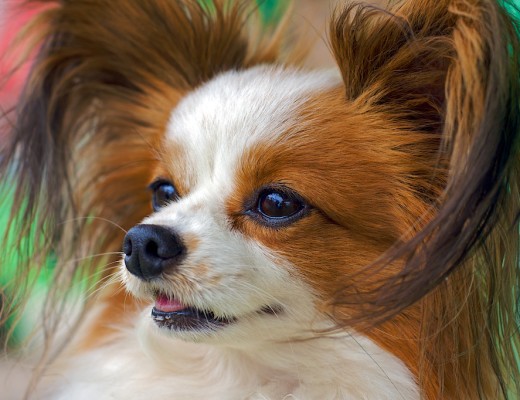
Chip the Papillion
Chip the Papillon. 50mm f/1.4 lens, f/4, 1/400, ISO 200.

1. Snap pets when they are sleepy and happy

Animals generally have somewhat predictable patterns of alertness and sleepiness. Like at 6am, they are usually wide awake. “Yap yap yap! Good Morning! I’m up, why aren’t you? ” Obviously, you don’t want to photograph a pet when they are rocketing around your living room or fast asleep. Try to find a time where they are fed, happy, and partially sleepy. That way they will be patient enough to sit and pose for you. Keep a few little treats in your pockets to keep that “happy-time” glimmer in their eyes or just to give you some extra snapping time.

2. Photograph pets at their eye level

Photos taken of animals from above are less personal and look very observational. If you want to show the personality of your fantastic pet, then you’ll have to shoot them at their eye-level. This often means crouching or lying down in some uncomfortable position in something wet, itchy, or hard, but it’s worth it. If you have smaller pets, you can prop them up on a pillow on a chair to make it a bit easier on your knees.

3. Find a simple, contrasting background

Use a simple background that contrasts with the colour of your pet’s fur, feathers, scales, tentacles (?) A grey cat against a grey wall will not stand out enough. Opt for a lighter colour to make your pet pop from the background.

4. Shoot in soft, even light

Indoors: Shoot in front of a big open window. Use a sheer curtain to diffuse the harsh light if it’s really sunny, or shoot a bit later in the day (about 1 hour before sunset). If you are getting a lot of shadow, use a bounce or a whiteboard to reflect light. Make sure you don’t blind your pet in the process. Meow!

Outdoors: Shoot in the shade or on a cloudy day. Make sure the light on your pet is consistent and not dappled. Harsh bits of sun mixed with shade never looks good and you can never really correct it in post. Avoid dappling! It can ruin the best of pictures.

5. Focus on the eyes

Whatever you do compositionally, make sure your focus on the eyes is tack sharp. It’s also nice if you can get the nose in focus as well. If you have sufficient light to increase your aperture, set it around f/5.6. If not, you can try using a tripod (depending on how patient your pet is), or try shooting your pet in profile.

If you have any other tips or tricks for photographing pets or any photos you’d like to share add them to the comments.

Good luck and remember to fill your pockets with tasty treats!

Vote for your favourite portrait!

Nov 25 2008

Hey Guys!

Another awesome bunch of entries for the second Mostly Lisa Photography Contest! It was tough, but I had to pick my top 8. And here they are:

Heather B&W Headshot
“Heather” by ldsnately.

Lucy
“Lucy” by Other Angle.

Deep In Thought
“Deep in Thought” by Scott Bradley.

IMG_2727; Margot; White Winter laying on boardwalk
“Margot” by DJSteen.

The Red Turban
“The Red Turban” by Rob and Lauren.

Sir Dylan Hollingsworth
“Sir Dylan Hollingsworth” by T Sharp.

Street Seller Brighton Photowalk 23AUG2008  184
“Brighton Photowalk” by Stephen Cotterell.

High Key Beauty Shot
“Babe Kennedy” by Ron Davis.

& thanks to everyone who entered. I really enjoyed looking at all your photos. You rock! Keep shooting, join the Mostly Lisa flickr photo group, and watch out for next month’s competition: Macros!

I’ve added a poll plug-in so it’s super easy to vote and kinda fun!

Vote for your favourite portrait !

  • "The Red Turban" by Rob and Lauren (31.0%, 178 Votes)
  • "Heather" by ldsnatley (27.0%, 157 Votes)
  • "Deep in thought" by Scott Bradley (15.0%, 87 Votes)
  • "Margot" by DjSteen (9.0%, 52 Votes)
  • "Sir Dylan Hollingsworth" by T Sharp (8.0%, 45 Votes)
  • "Lucy" by Other Angle (4.0%, 25 Votes)
  • "Brighton Photowalk" by Stephen Cotterell (3.0%, 19 Votes)
  • "Babe Kennedy" by Ron Davis (2.0%, 13 Votes)

Total Voters: 576

Loading ... Loading ...

la belleza del pueblo mexicano

Apr 29 2008

Cute Mexican Kids, Akumal, Mayan Riviera, Mexico
Photo by my mum Jane Bettany.

My last trip to the Mayan Riviera marked my sixth trip to Mexico. Every time I am in Mexico, I am always warmed by the beauty, kindness, and generosity of the people. Here are a few pictures of people I met, or passed by that I captured in Akumal and Tulum.

School Boy Infront of Aquarium Mural, Akumal, Mexico

I saw a small school and library from the road and walked into the courtyard. I saw this tiny boy playing with blocks in front of a bright blue wall with an aquarium mural. I was just able to grab this shot before he ran off.

Maria (shopkeeper), Akumal, Mayan Riviera, Mexico copy

She was soooo shy and I had to pester her for quite a while for her to allow me to take a photo of her. But she was still so shy and giggling, so I quickly snapped this candid while she looked away.

After school coconut snacks, Akumal

nomnomnom these kids were shucking these coconuts so quickly with their teeth!

Dancers, Grand Sirenis Resort, Akumal, Mayan Riviera, Mexico

Super fantastic Hollywood tribute show at the Grand Sirenis Resort where I was staying. It was almost as fun as the sweet Pixar themed blacklight show they put on the next night.

construction workers, Tulum, Mexico

There is a lot of development going on in the Mayan Riviera down near Tulum. i really hope they don’t develop too much. It would be such a shame to destroy the natural beauty of this area. These construction workers were not really thrilled at me taking pictures of them. A leedle bit of attitude.

little girl playing in water at Akumal Beach, Mayan Riviera, Mexico

En español:
Mi último viaje a la Riviera Maya marcado mi sexto viaje a Mexico. Cada vez que estoy en Mexico, siempre me ha calentado por la belleza, bondad y generosidad del pueblo. Aquí están algunas fotos de gente que conocí, o pasado de que me capturaron.